> ## Documentation Index
> Fetch the complete documentation index at: https://documentation.deluxhost.net/llms.txt
> Use this file to discover all available pages before exploring further.

# Password Reset

<Note>
  If you are looking for how to connect to your remote server, click
  [here](https://documentation.deluxhost.net/vps/connect)
</Note>

## How can I reset my server password?

&#x20;  **1.** Connect to our [page](https://billing.deluxhost.net/) and log in with your credentials.&#x20;

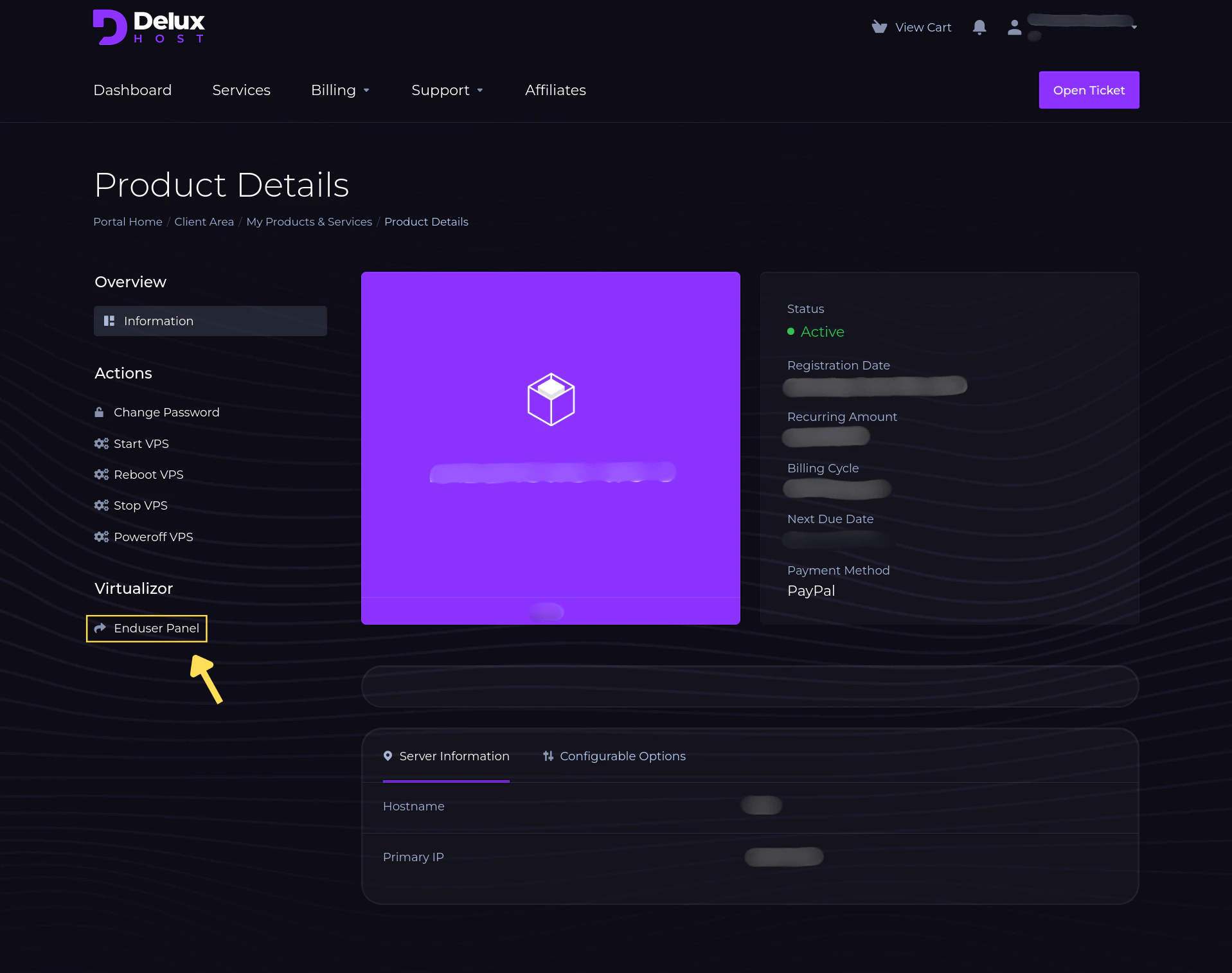
&#x20;  **2.** From the main dashboard, select **"Enduser Panel"** to access the server control panel.
<Frame>
  <img src="https://mintcdn.com/deluxhost-505bb4e0/wqHp8Tvv54Gi8HIx/images/resetpassword/1.png?fit=max&auto=format&n=wqHp8Tvv54Gi8HIx&q=85&s=62ea8565a9bbcb8d2cdb3b145a14de88" style={{ borderRadius: "0.5rem" }} width="1917" height="1514" data-path="images/resetpassword/1.png" />
</Frame>

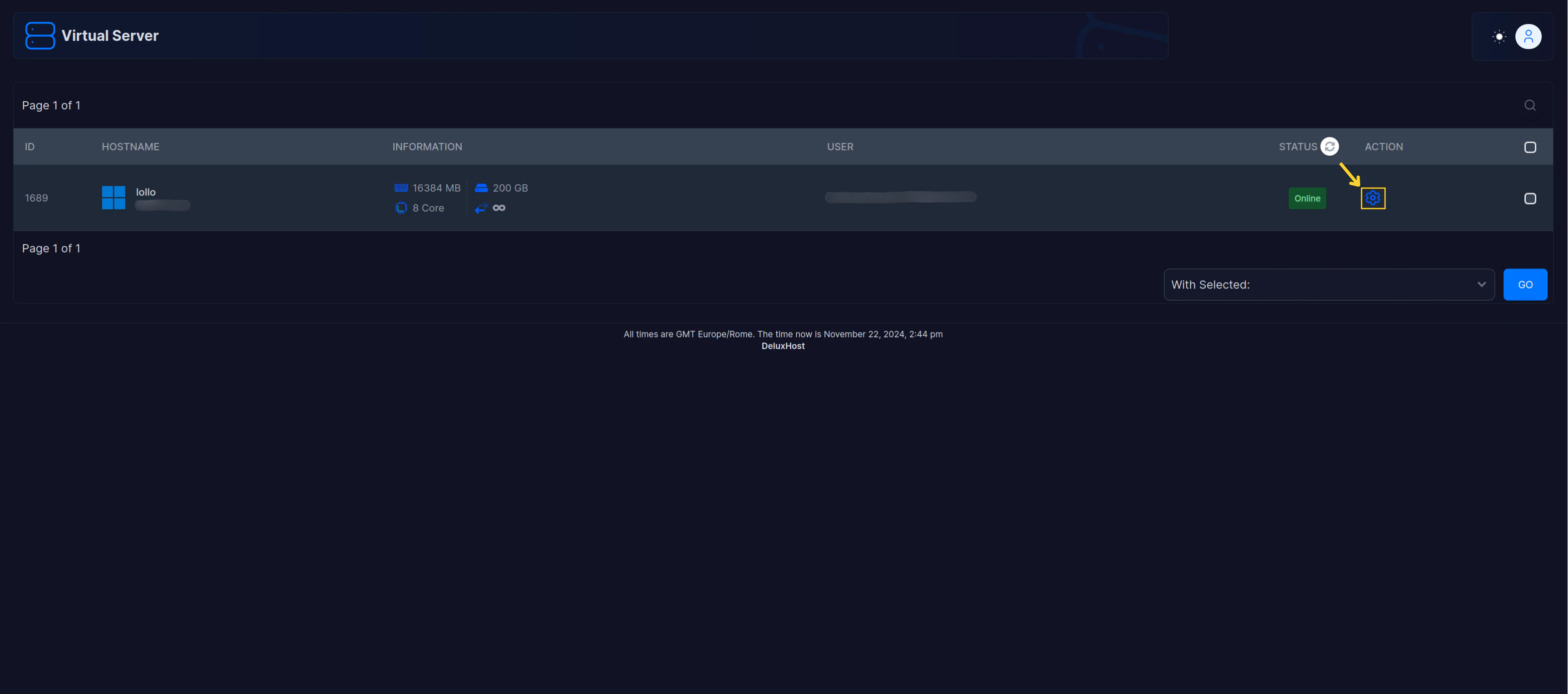
&#x20;  **3.** Once inside, click on the **settings icon**
<Frame>
  <img src="https://mintcdn.com/deluxhost-505bb4e0/wqHp8Tvv54Gi8HIx/images/resetpassword/2.png?fit=max&auto=format&n=wqHp8Tvv54Gi8HIx&q=85&s=ece0cd1aab3854c7c82d6025666d08a6" style={{ borderRadius: "0.5rem" }} width="3454" height="1528" data-path="images/resetpassword/2.png" />
</Frame>

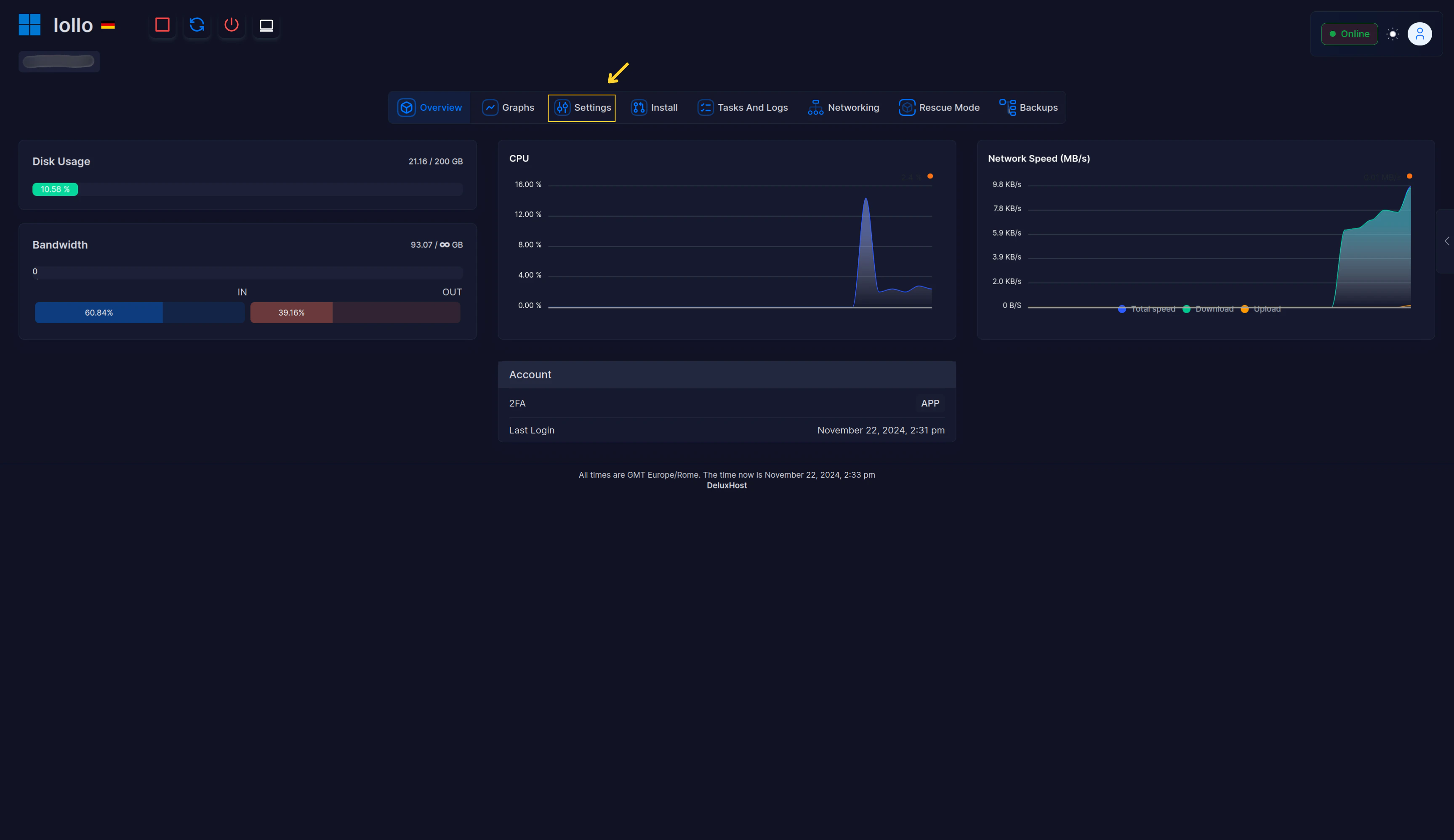
&#x20;  **4.** In the menu that opens, choose **"Settings"**.
<Frame>
  <img src="https://mintcdn.com/deluxhost-505bb4e0/wqHp8Tvv54Gi8HIx/images/resetpassword/3.png?fit=max&auto=format&n=wqHp8Tvv54Gi8HIx&q=85&s=24207a1657b257ab76afa99cbaa89437" style={{ borderRadius: "0.5rem" }} width="3454" height="1996" data-path="images/resetpassword/3.png" />
</Frame>

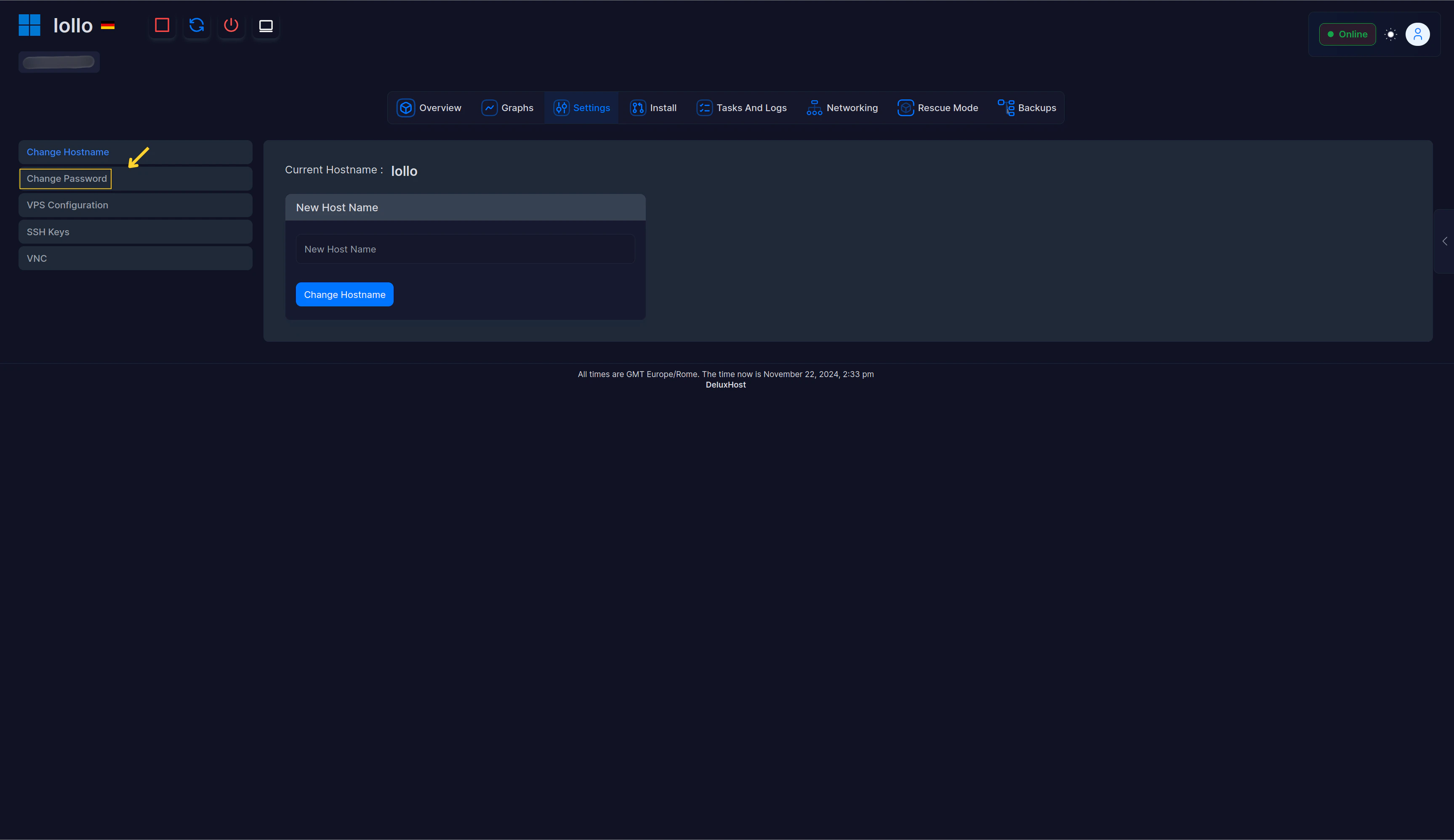
&#x20;  **5.** Finally, navigate to **"Change Password"** and set the new password.
<Frame>
  <img src="https://mintcdn.com/deluxhost-505bb4e0/wqHp8Tvv54Gi8HIx/images/resetpassword/4.png?fit=max&auto=format&n=wqHp8Tvv54Gi8HIx&q=85&s=af4f3b36dcd0125ec12e49e40093782e" style={{ borderRadius: "0.5rem" }} width="3454" height="1996" data-path="images/resetpassword/4.png" />
</Frame>

<Note>Once done, restart your server.</Note>
