> ## Documentation Index
> Fetch the complete documentation index at: https://documentation.deluxhost.net/llms.txt
> Use this file to discover all available pages before exploring further.
# Server Reset
Follow [this guide ](https://documentation.deluxhost.net/vps/controlpanel)to
find out how to access the control panel
### How to format my virtual server?
**1.** Access your server's [control panel](https://documentation.deluxhost.net/vps/controlpanel).
**2.** Once inside, click on `install` button.
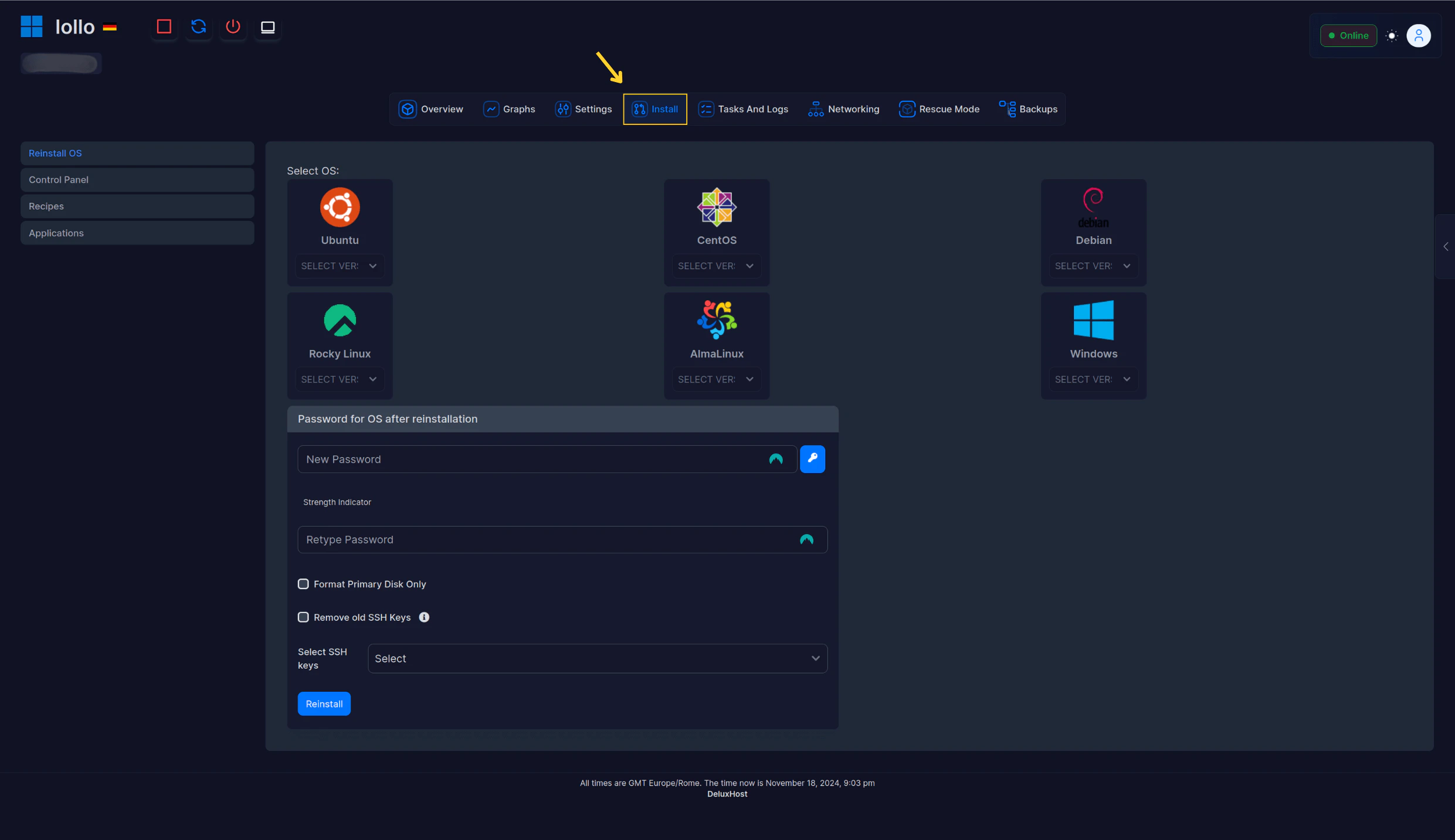 **3.** Next, select the desired **operating system,** set a basic **password** to the default user, and take advantage of the tab on the left to download **additional components.**
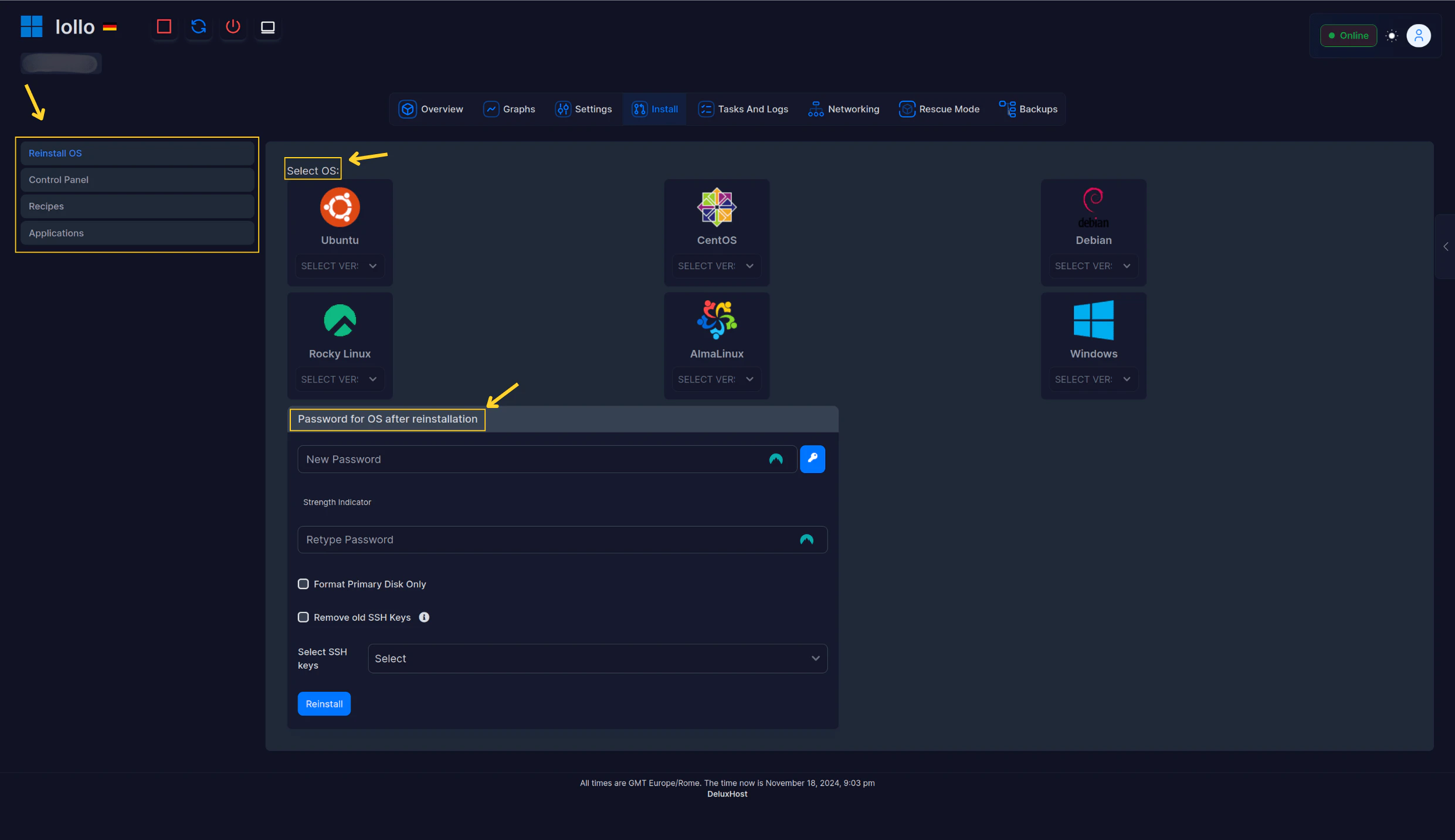 **4.** After this, select `reinstall`, and wait **3-5 minutes** for the operating system to be reloaded and formatted.
**Warning**: We take no responsibility in case of data loss. We always recommend that you
make a backup on your device before proceeding.
**4.** After this, select `reinstall`, and wait **3-5 minutes** for the operating system to be reloaded and formatted.
**Warning**: We take no responsibility in case of data loss. We always recommend that you
make a backup on your device before proceeding.