> ## Documentation Index
> Fetch the complete documentation index at: https://documentation.deluxhost.net/llms.txt
> Use this file to discover all available pages before exploring further.
# Control Panel
If you are looking for how to connect to your remote server, click
[here](https://documentation.deluxhost.net/vps/connect).
## How can I access to the control panel?
**1.** Connect on our [main page,](https://deluxhost.net/) and click on “Client Area”.
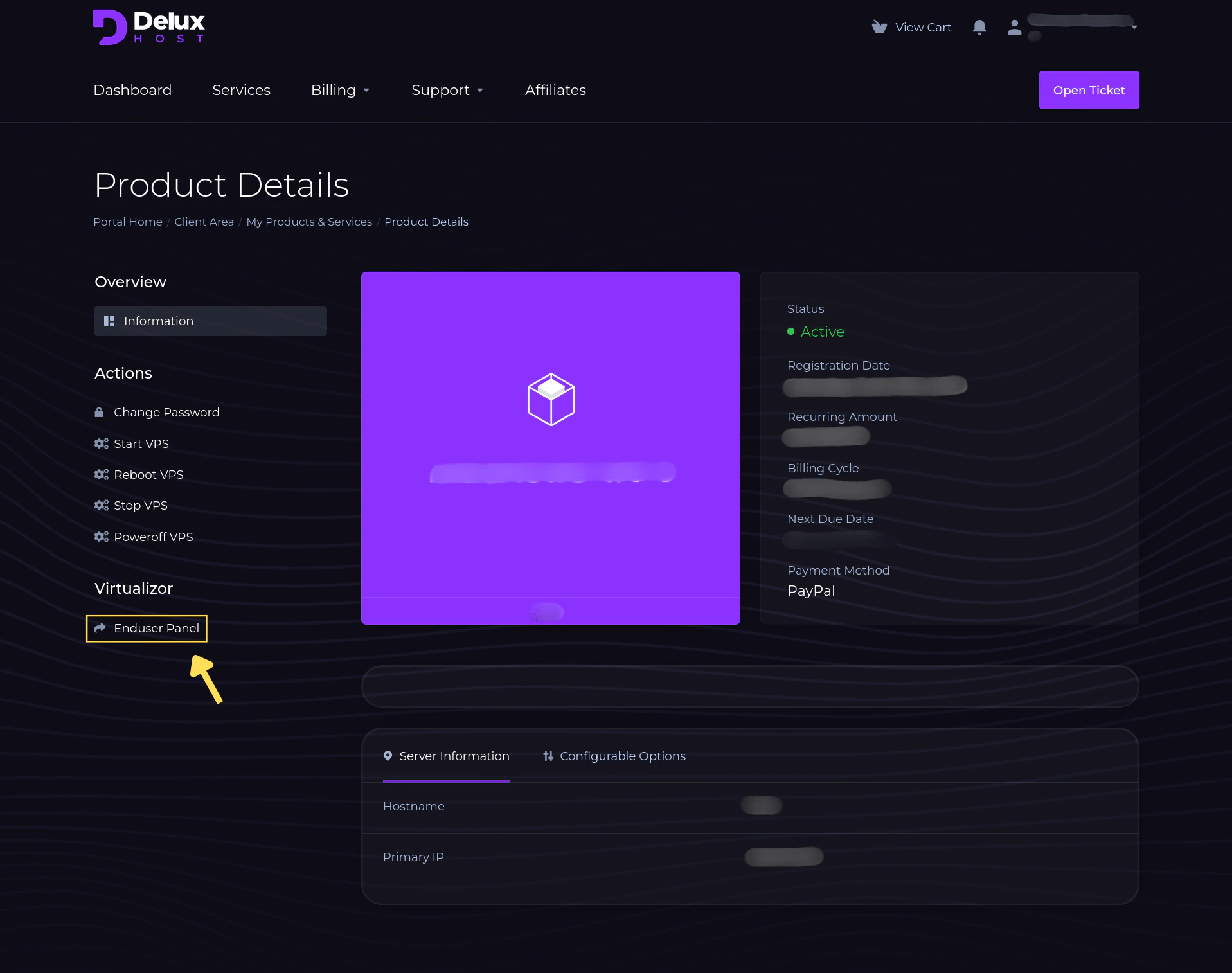
 **2.** Log-in your account, and then, from the main panel, select `Enduser Panel` to enter server control.
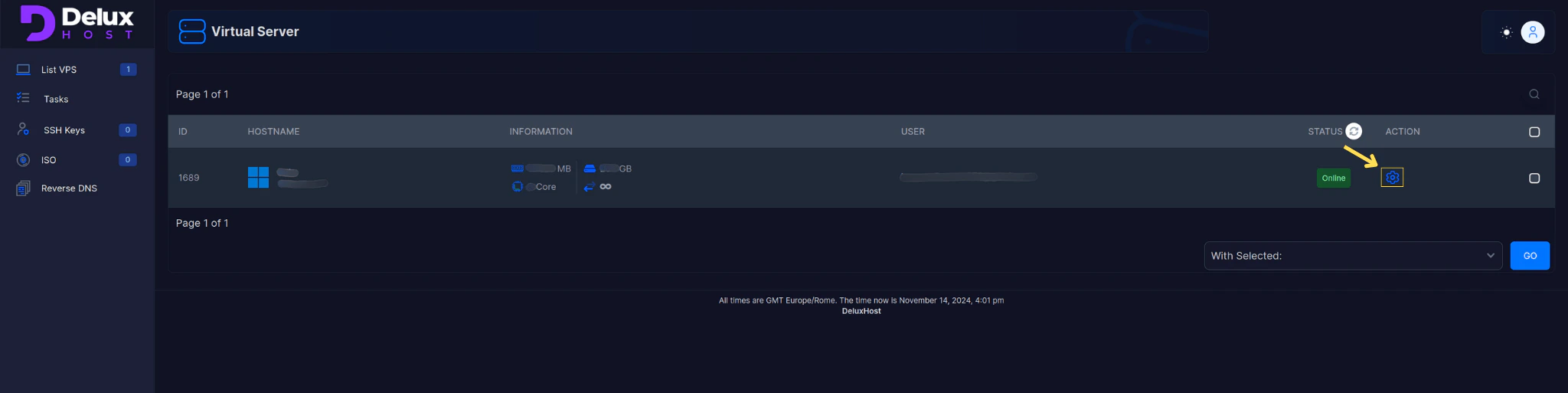
 **3.** Once inside, clicking on the options icon will give you full access and management of your service, be cautious.
 **Warning**: We are not responsible for loss of data due to unconscious use of the tool
available to you.
**Warning**: We are not responsible for loss of data due to unconscious use of the tool
available to you.